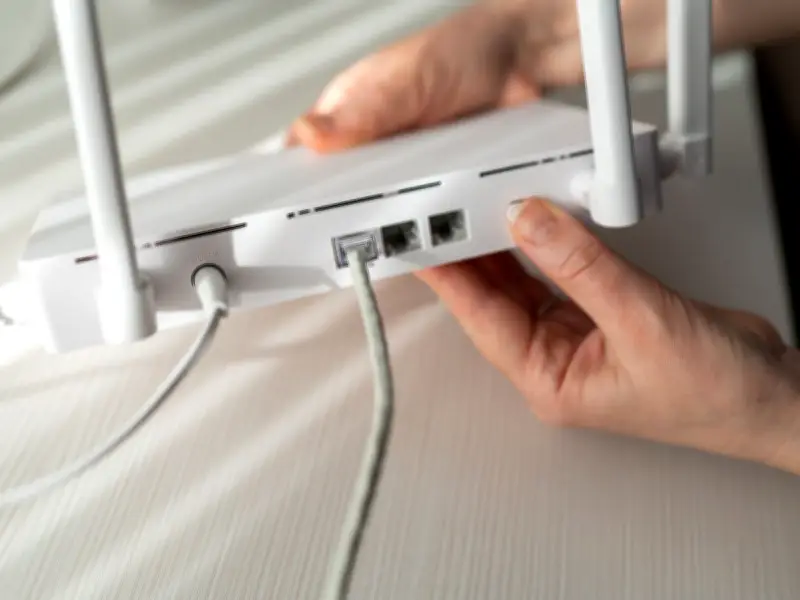
If your Wi-Fi feels slow despite having a fast broadband package, you're not alone. According to Money Saving Expert (MSE), founded by Martin Lewis, many people may be making simple mistakes without realising it that could be slowing down their broadband.
Router Placement Is Key
The experts' advice is straightforward: make sure your router is positioned in the best possible place. MSE explains: "When using Wi-Fi, obviously the nearer you are to the router, the better your signal will be, and therefore the faster your broadband."
"Wi-Fi signals can't travel through large objects such as thick walls, so it's crucial you have a clear path for the signal to travel to your laptop, tablet or smartphone."
Signal noise from other wireless electronics, such as a TV, can interfere with the connection between your device and router, so it may be worth switching these off if you're seeing slow broadband speeds.
Where to Place Your Router
Where you place your router can have a big impact on your Wi-Fi speeds. Wherever possible, try to:
- Choose a central location.
- Position it high up with no obstacles around it.
- Don't hide your router away in a cupboard or drawer.
- Place your router as far away as possible from electrical equipment such as baby monitors, speakers, TVs or monitors.
- Don't camouflage it with picture frames or ornaments.
It's also worth checking that your router is plugged into the best socket. If your home has multiple phone sockets, try connecting it to each one to see if it improves your speeds. However, in most cases, plugging your router directly into the main phone socket will deliver the best performance. Wherever possible, keep the distance between your router and your devices to a minimum for a stronger, more reliable Wi-Fi signal.
Check If You Are Paying Too Much
If you're out of contract, there's a good chance you're overpaying. MSE says: "If you're out of contract, it's highly likely you'll be overpaying. Yet have no fear, you're actually free to switch away to a different provider, penalty-free, or to haggle a new deal if you'd prefer to stick with your current one."
Can I Leave Mid-Contract?
Citizens Advice has said that households should check the terms and conditions of their current contract to find out what their cancellation rights are. This is because some people may be legally entitled to cancel the contract without a fee. This may include cases where:
- You signed up less than 14 days ago - this is called a ‘cooling off period’.
- The price of your contract is going up and your provider has given you 30 days to cancel without a fee.
- There’s a problem with your internet speed.
- Your contract was for a certain length of time and has expired - for example, an 18-month mobile phone contract.
It cautions: "If none of these apply, you probably can't cancel the contract without having to pay a fee."
You can read more advice via Citizens Advice on how to cancel if you are having issues mid-contract and what to do about slow broadband speeds if you signed up before or after March 1, 2019.