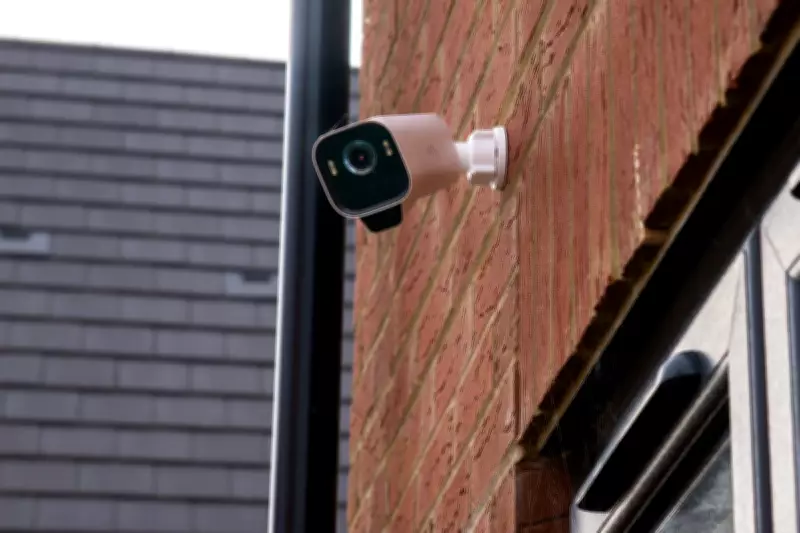
Top 5 Strategic Locations for Home Security Cameras to Deter Theft
Compact, affordable, and intelligent security cameras have revolutionised home protection, making professional-grade surveillance systems accessible to all. However, while purchasing and installing a camera is straightforward, selecting the optimal location is critical to avoid common mistakes. Many premium home security cameras include guidelines for ideal placement, which often vary based on the camera's performance and specifications. Consequently, a spot perfect for one model may be less effective for another.
Beyond choosing the right spot for your specific camera, it's essential to assess which areas of your property require surveillance. This evaluation determines how many cameras your home might need. After all, installing a camera to monitor the front door is futile if a potential burglar can access the back door or a ground-floor window undetected.
Read on to explore the perfect locations for installing your home security cameras, ensuring comprehensive coverage and enhanced safety.

Best Spots to Position Your Security Camera
- Front Door
This is the prime location for your first security camera or video doorbell. It provides a view of the front of your home (or an outward perspective with a video doorbell) and serves as a powerful visual deterrent. Most top-tier video doorbells are designed to replace standard doorbells, often including flat and angled mounting plates for precise positioning.
Security cameras should be placed higher up and to the left or right of your door. This placement captures footage of the door, the approach area, and the sides, documenting a trespasser's entire approach rather than just the door itself. Ideally, install the camera high enough to be out of reach, preventing theft or interference, while still allowing easy access for periodic battery charging.
- Back Door or Side Entrances
If investing in a second camera, install it to monitor the back door or side entrances. Similar to the front door, position it high and at an angle to cover the door and surrounding area. Avoid pointing it at neighbouring properties, and utilise the camera app's blocking and censoring tools if necessary to obscure parts of the view.
A second camera overlooking the back garden can be highly effective, monitoring the back door, garden, and potentially a side gate. If possible, position it to view only your property, enabling settings to record, activate spotlights, or trigger alarms upon detecting movement at night without false alarms from beyond your garden boundaries.
- Driveway
The driveway is another obvious location, where a security camera can deter car theft and loitering. Install it at a height that balances visibility with the performance of night vision and motion-detection systems; too high, and it may struggle to reliably detect movement.
Cameras with spotlights can deter car thieves while providing convenient nighttime illumination. Ensure you avoid recording neighbours' driveways, gardens, or windows by using the camera app's recording-zone and detection-zone tools to block out adjacent properties and prevent unnecessary recordings of passing vehicles and pedestrians.
Test the Wi-Fi signal strength for cameras monitoring the garden and driveway, as greater distance from your router may cause intermittent connections. If the outdoor camera has a poor connection, consider relocating the router or investing in a Wi-Fi signal booster or network extender.
- Ground Floor Windows
Interior cameras are typically cheaper than weather-resistant outdoor models and are powered by plug sockets, eliminating battery concerns. While often used to monitor pets, they are also valuable for home security.
Position one to look through a ground-floor window for an additional view of trespassers or suspicious activity outside. In the event of a break-in, they can capture footage that might be missed by doorbell or outdoor cameras. Test this location carefully, as security cameras can be triggered by window reflections. Interior cameras are also useful for monitoring valuable possessions like jewellery collections, safes, or key storage boxes.

- Garage, Shed, or Outbuildings
Finally, security cameras are excellent for protecting outbuildings such as garages and sheds. They can be mounted with included screws to walls, posts, or fences, providing a clear view of the area. Outdoor cameras generally offer robust weather resistance, but always verify they are designed for outdoor use and secure all covers and openings, like microSD card slots.
As with other outdoor locations, mount the camera high to prevent tampering, ensure it has a clear view, and check for a stable Wi-Fi connection. Outdoor cameras with spotlights are ideal here, as lights can be set to activate or flash upon motion detection. Configure the camera to arm at specific times, such as 10pm to 7am, to record only during vulnerable hours without unnecessary alerts during daytime activities.
Test the camera's night vision function thoroughly. If it uses infrared night vision, ensure it has an unobstructed view and nothing is close to the lens. When mounting on a window ledge, avoid the ledge being visible to prevent infrared light reflection, which can cause nighttime images to turn white. Similarly, clear the view of leaves, branches, or other objects that could reflect infrared light.