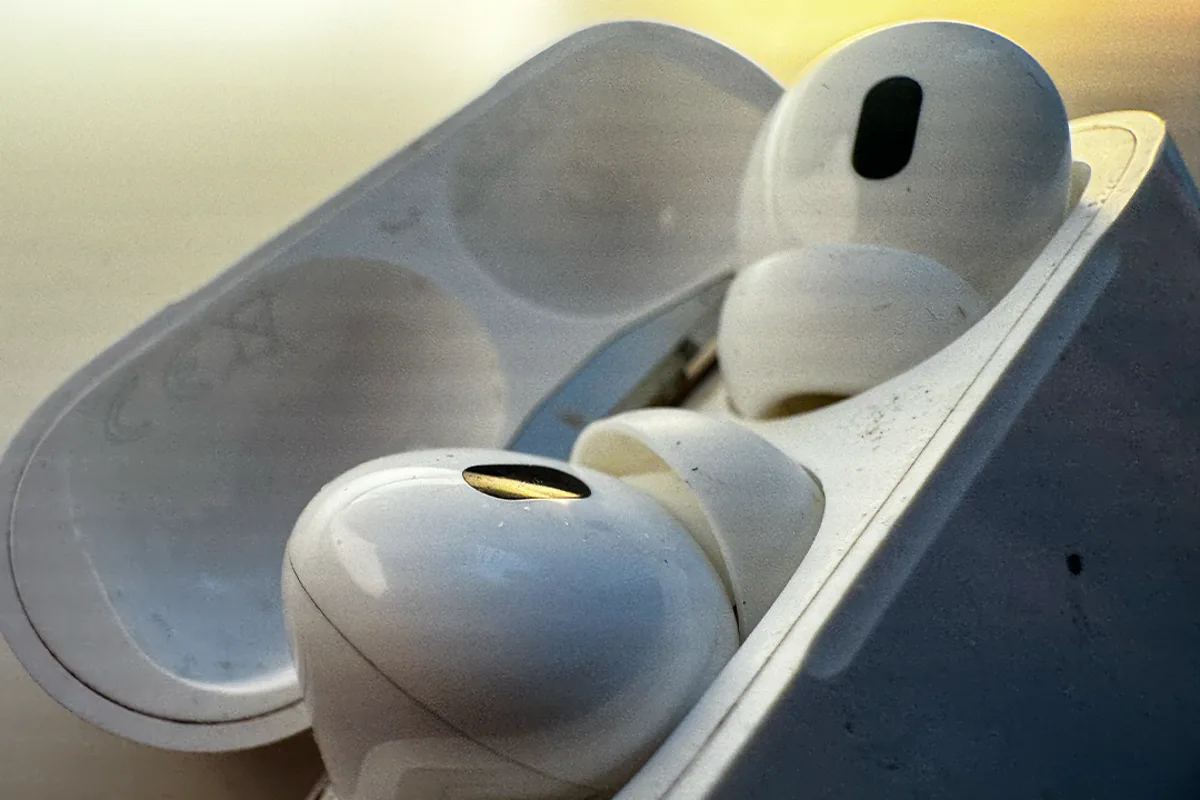
It's a common, if unappealing, reality for earbud users: a quick inspection of your AirPods often reveals a build-up of yellowing wax on the silicone tips, metal grilles, and even the case. However, there is no need for alarm. 'It's perfectly normal,' says Gordon Harrison, Specsavers's chief audiologist. 'If your earbuds start looking yellow, orange or slightly brown, it's usually a sign of everyday earwax transfer, rather than anything harmful.'
That said, cleaning your AirPods is important. Dirty earbuds are a haven for bacteria. 'Earbuds can create a warm, enclosed environment in the ear canal, trapping heat and moisture. If they're not cleaned regularly, this can make it easier for bacteria to thrive and increase the risk of ear infections,' explains Harrison. In 2025, Boots's Hearingcare team found that wireless in-ear earbuds housed roughly 80.5 colony-forming units (CFU) of bacteria – nearly four times higher than a toilet seat, measured at 21.5 CFU. A separate 2024 study by The Hearing Care Partnership detected potentially harmful microorganisms including E. coli, Staphylococcus aureus, and faecal streptococci on used earphones.
While dirty AirPods might not cause an ear infection on their own, they make it more likely. 'Earbuds that are used daily but cleaned rarely create a perfect storm for infections,' explains Hannah Samuels, an audiologist at Boots Hearingcare. 'Frequently wearing earbuds, especially when you have significant earwax buildup, can result in pushing wax further down your ear, which can compact and cause discomfort, pain and in some cases even temporary hearing loss.'

Cleaning your AirPods is straightforward. For AirPods Pro, gently remove the silicone ear tips and rinse them with plain water only, then wipe with a soft, lint-free microfibre cloth and leave to dry completely. Clean the outer plastic with a slightly damp cloth, keeping moisture away from the speaker mesh and microphone grilles. Harrison also recommends wiping with an alcohol-based antibacterial wipe or a soft cloth lightly dampened with isopropyl rubbing alcohol or cleaning vinegar.
The mesh is the most delicate part. Apple recommends cleaning it with a soft-bristled brush, such as a children's toothbrush. Dip the brush into a small amount of micellar water containing PEG-6 and, holding the AirPod with the mesh facing upwards, gently brush in small circles for about 15 seconds. Turn the AirPod over and blot the mesh on a paper towel. Rinse the brush in distilled water and repeat. Avoid pressing too hard, using sharp objects or letting liquid drip into the openings, and allow the AirPods to dry completely before using them again.