Microsoft’s Surface Laptop 8 delivers a premium Windows 11 experience with a new haptic touchpad, long battery life, and snappy performance from Qualcomm’s latest Snapdragon X2 chips. However, a significant price increase of £400 or more, driven by rising memory and chip costs, makes it a more expensive proposition than its predecessor.
Design and Display: Familiar Elegance with a Haptic Upgrade
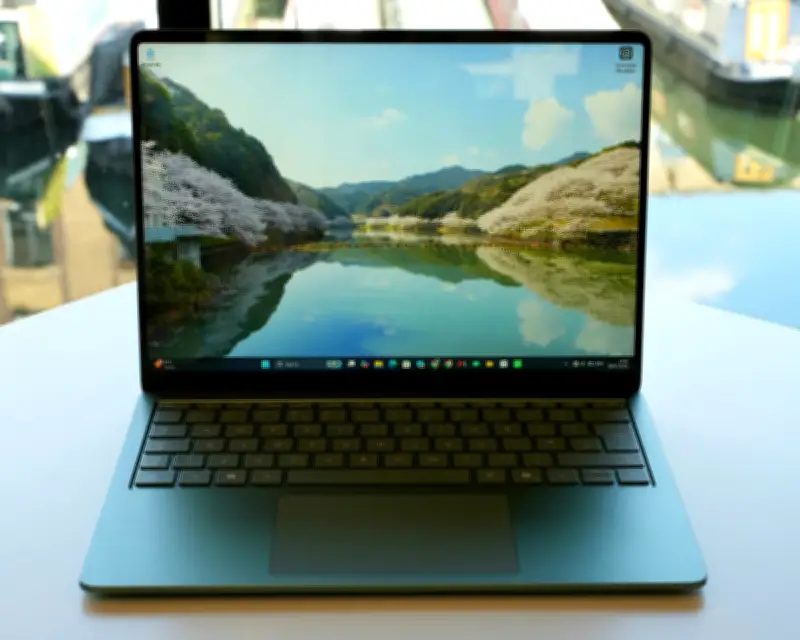
The Surface Laptop 8 retains the same solid aluminium body, satisfying keyboard, and crisp 120Hz LCD screen as the 2024 model, available in 13.8-inch and 15-inch sizes. New colour options, including a fetching jade green, add a fresh aesthetic. The standout addition is the haptic touchpad, which supports Windows 11’s haptic signals feature. Users feel subtle taps when hovering over close buttons or snapping windows, bringing on-screen interactions to life.
The display is bright with HDR and Dolby Vision support, though its glossy coating can cause glare under office lighting. Speakers are clear and avoid tinny sounds, though they lack bass. The 1080p webcam with Windows Hello facial recognition makes logging in effortless and excels in video calls.
Performance and Battery: Snapdragon X2 Delivers Speed and Endurance
The Surface Laptop 8 comes with a choice of Qualcomm Snapdragon X2 Plus or X2 Elite processors. The X2 Elite version tested showed a 16% to 20% improvement in single-core performance and about 10% faster graphics over the previous generation. It handles most tasks smoothly, including light gaming, but still trails Apple’s M5 MacBook Air. The machine runs silently most of the time, with fans only audible under extreme load—a contrast to hotter Intel versions.
Battery life is a key advantage: the Surface Laptop 8 managed nearly 14 hours of work using 15 Chrome tabs, Evernote, a text editor, chat apps, and several hours of photo editing. Most users can expect two days of light use or a full day with demanding programs. Charging via USB-C with a 100W charger (not included) takes about 100 minutes.
Connectivity and Windows 11 on ARM
The laptop includes two USB-C ports, a USB-A port, a headphone jack, and Microsoft’s proprietary Surface Connect port. However, since no charger is included in the UK and EU, the Surface Connect port is effectively useless unless users buy Microsoft’s £80 power supply. Windows 11 for ARM runs smoothly, free of bloatware, and includes AI tools like Click to Do, which lets users interact with on-screen text and images by holding the Windows button and clicking.
Most apps run natively or via the Prism emulation layer, which transparently runs x64 programs. Emulated apps like Evernote can be slightly slow, and some multiplayer games with anti-cheat may not work, though recent updates have improved compatibility for titles like Fortnite.
Sustainability and Pricing
The Surface Laptop 8 is generally repairable with a replaceable SSD and service guides. It uses recycled aluminium, cobalt, copper, gold, rare-earth metals, and tin. Microsoft offers trade-in and recycling schemes and publishes out-of-warranty repair costs. Pricing starts at £1,449 (€1,699/$1,599.99/A$2,799) for the Snapdragon X2 Plus with 16GB RAM and 512GB storage, and £1,549 (€1,799/$1,699.99/A$2,899) for the X2 Elite version—a £400 increase over the previous model due to RAMageddon.
Verdict: A Premium PC Marred by Price Hike
The Surface Laptop 8 is an excellent all-round premium PC with great performance, long battery life, a top-notch keyboard and trackpad, and a clutter-free Windows 11 experience. The haptic signals feature adds a touch of class. However, the steep price increase makes it about £500 more than it should be, and the limited port selection and reliance on an additional charger for the Surface Connect port are drawbacks. For those who don’t need Intel-specific apps, the ARM-based Surface Laptop 8 is a compelling choice.