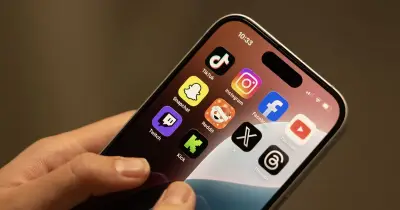
Radio and TV presenter Zoe Hardman was horrified to discover her 10-year-old daughter had secretly set up a TikTok account while on holiday. The account contained videos of the child doing TikTok dances in a bikini with filters on her face, making her look much older, and she had received messages from people unknown to her mother.
How the discovery unfolded
Hardman, who hosts the Made By Mammas Podcast with Georgia Dayton, shared the story on the podcast. She explained that a message from the family nanny, Taylor, alerted her to the situation. The nanny asked: "Were you aware that Luna has somehow managed to set herself up with a TikTok account?"
Hardman said she was "horrified" and initially did not understand, as her daughter did not have TikTok on her iPad and rarely used the device. When she confronted Luna, the child was "full of shame," crying in her bedroom and hiding under the covers, apologising repeatedly.
Mum admits parenting misstep
Hardman admitted she felt she had "f****d up" in her response, as she told her daughter to delete the account immediately rather than asking to see it first. Although Luna promised to delete it, Hardman discovered days later that the account still existed and her daughter was still posting on it.
Hardman said she wanted to share the story "not to shame her... because I deleted the account, but who knows who's got hold of any of them (videos)." She warned other parents: "Even if your kids, you've taken it, taken the app off their iPad, they can obviously download things. They obviously haven't got the right parental control set up." TikTok was approached for comment.
Social media reaction and parental control tips
The podcast clip was shared on social media, where many people comforted the mum and shared their own experiences. One person commented: "No shade, keep sharing, education is important." Another said: "Well done for being so honest and open about this. This could’ve happened to any of us. They’re so innocent and have no idea the ramifications of being online. You handled it brilliantly."
Zoe's story prompted parents to look into adding parental controls to their children's smart devices. On Android devices, parents can set up controls directly in phone settings or remotely using the Google Family Link app. These include daily screen time limits, scheduled downtime for school or bedtime, app limits, web content filters to block explicit sites or searches, and app store filters to restrict downloads by maturity rating.
Apple products also offer child safety features, including downtime, where parents can set a specific time when apps and notifications are blocked. Parents can customise which apps are accessible or off limits. With Apple App Limits, parents can combine individual apps and websites, and even whole categories, into a single limit. Kids get a notification when they've reached their time limit, so they can wrap up a conversation, save a file, or close a game session before time runs out – or ask for more time. There is also an "ask to buy" function that requires children to request permission to download an app from the App Store, which a parent can approve remotely through Messages or in person on the child's device. This applies to both free and purchased downloads, as well as in-app purchases.